User Guide
Settings
General
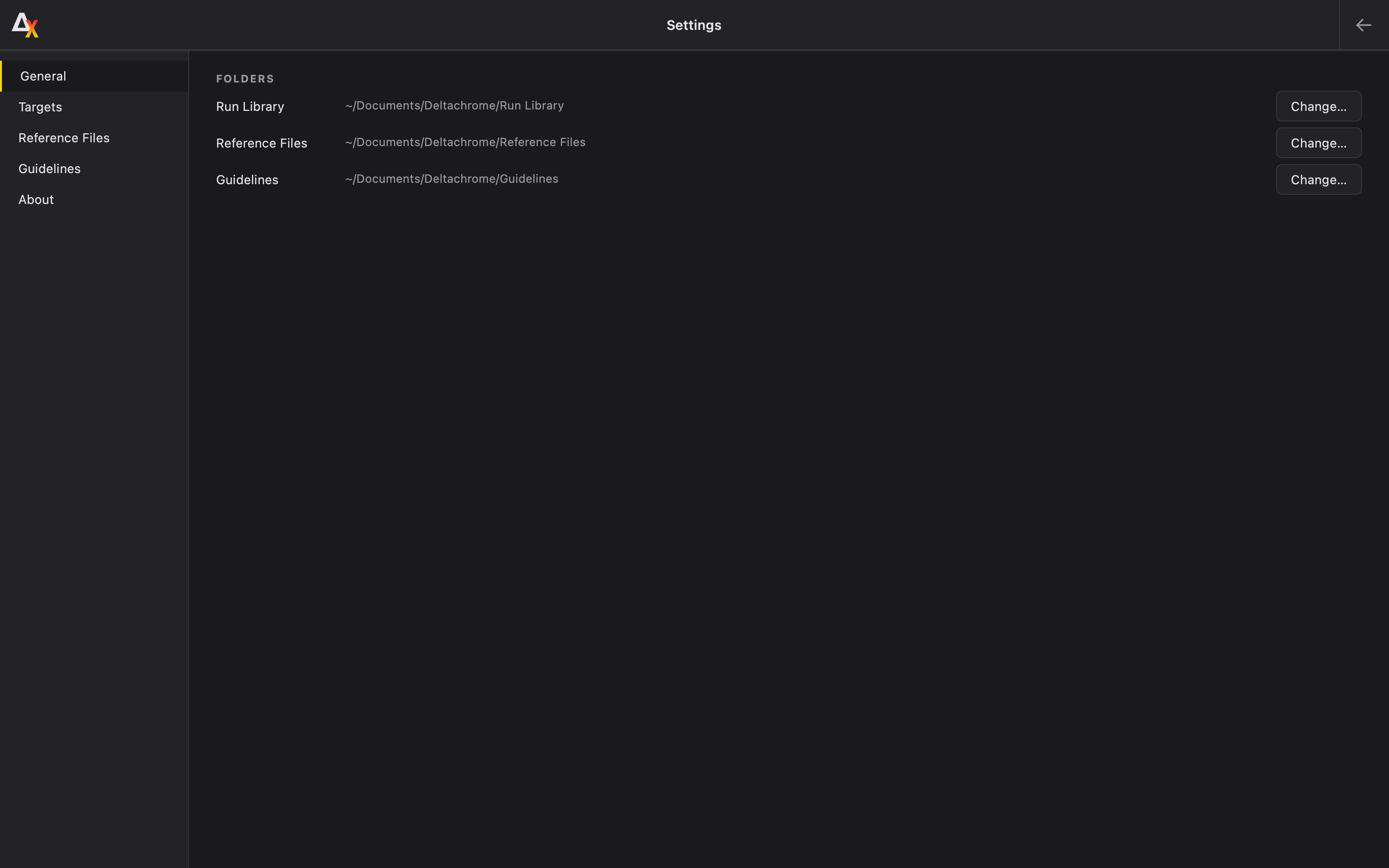
Deltachrome is built upon the principle of customization. While customizable Settings will continue to be integrated in future releases, Deltachrome ships with a few critical features. The General tab allows the user to specify the Run Library location, as well as the location of the saved Reference Files and custom Guidelines. These locations can always be changed, but it’s recommended that the Reference Files and Guidelines locations be established permanently. For larger institutions or imaging studios, multiple instances of Deltachrome can point their Reference Bank and Guidelines to a single location on a server to facilitate integration.
Targets
The Targets tab is a list of all currently available targets that can be analyzed by Deltachrome. By default, they are all selected. Selected targets will be searched for during Deltachrome’s automatic target detection. The user is recommended to deselect any target they don’t have or expect to appear in their images. This will help make the automated target detection more accurate.
Reference Files
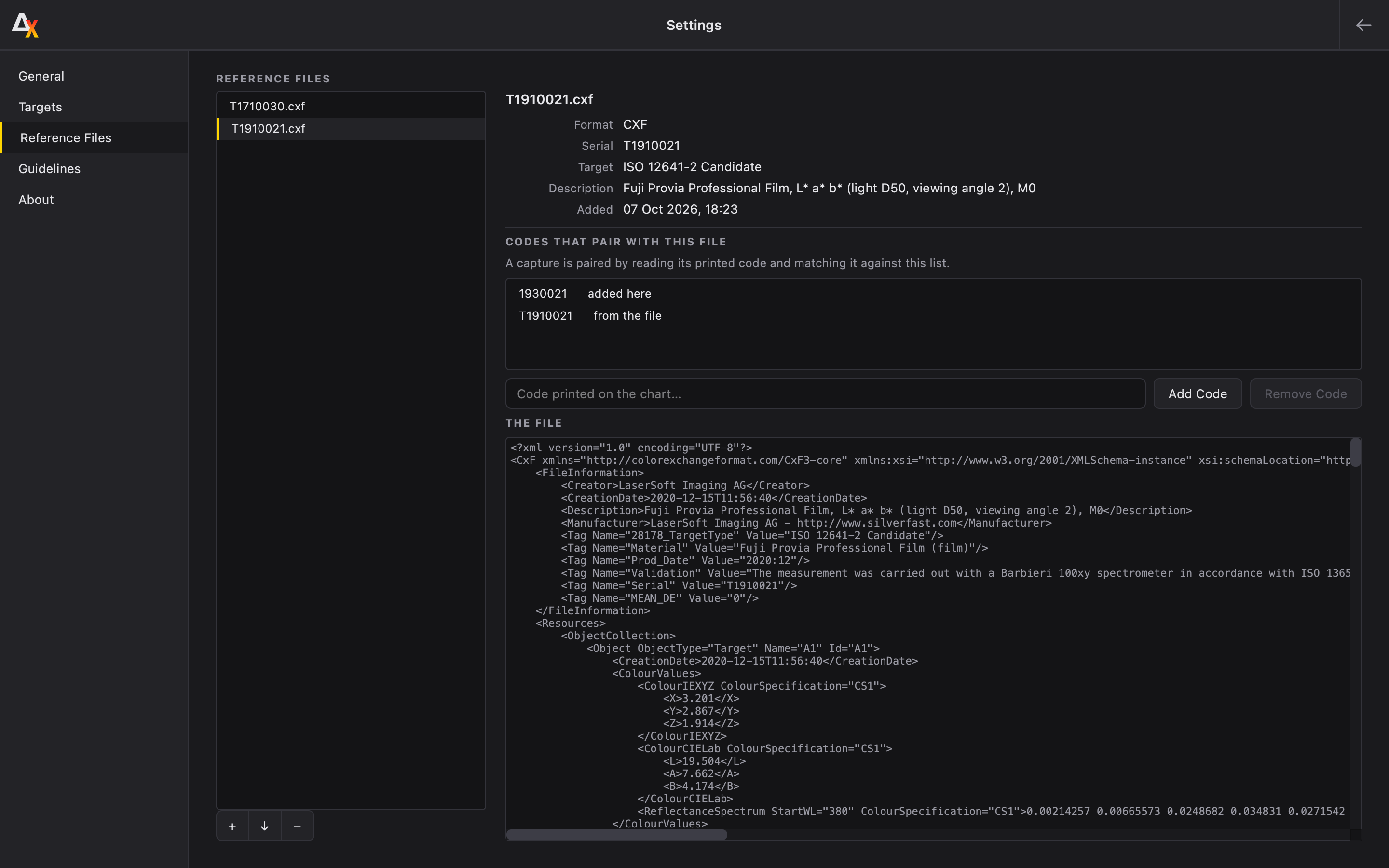
In the Reference Files tab, the user can save Reference files to an internal Bank. These files can be selected more easily during the Placement process. Additionally, codes can be attached to these Reference files that allow an automatic pairing if that code appears in the image. The user can enter multiple codes per reference file.
Guidelines
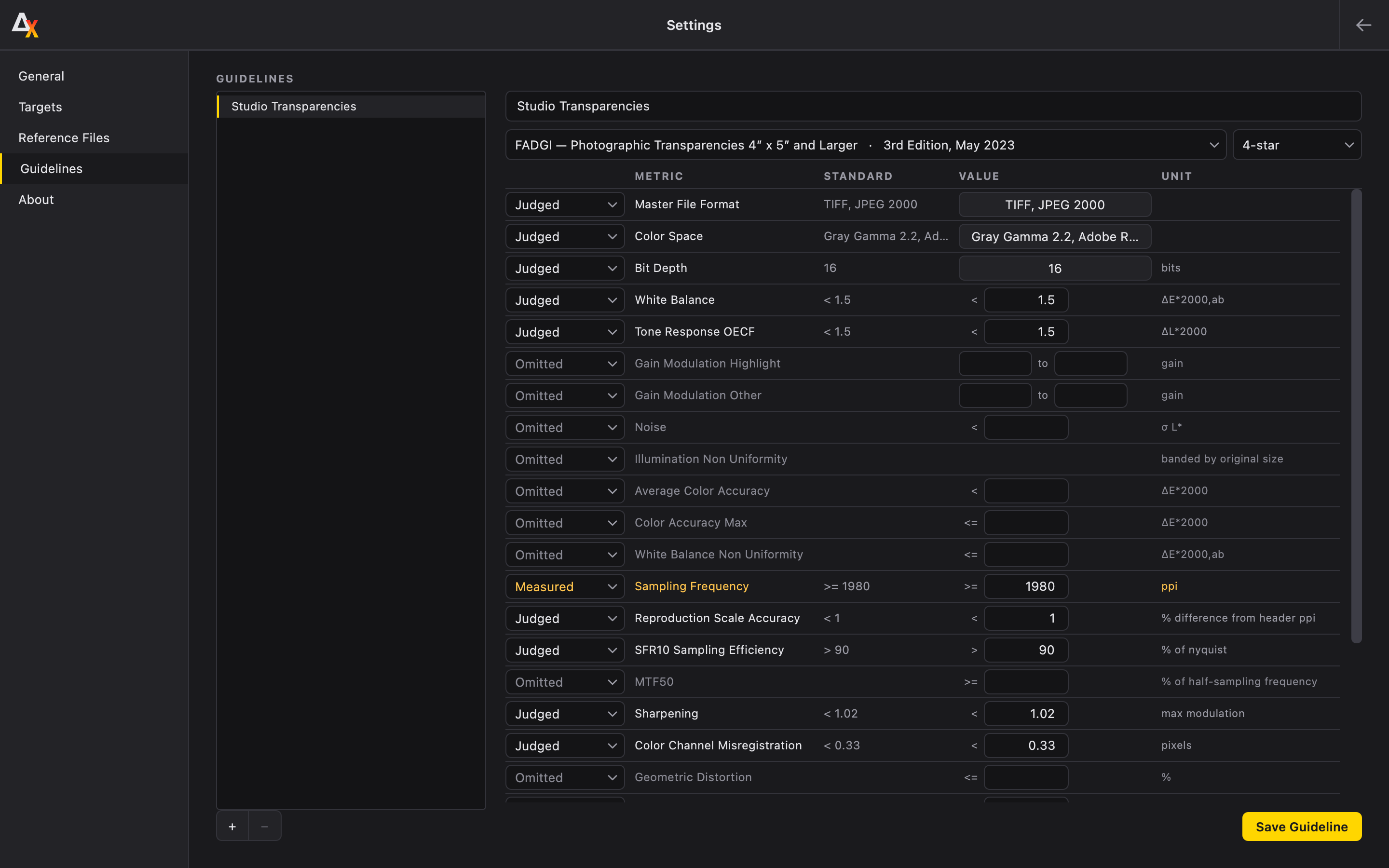
Users can create their own Guidelines using the Guidelines tab. For example, if an institution or imaging lab is capable of imaging some metrics at a FADGI 4-Star level, and other metrics at a FADGI 3-Star level, then a new Guideline can be created for Deltachrome to judge against. The user can start out with a pre-defined Guideline and change the thresholds. They can also specify if they would like a metric to be Omitted or just Measured at no penalty to the Verdict.